Executive Summary: After an Amazon suspension, sellers should pause, identify the exact cause, conduct a full account audit, and submit a concise, evidence-based Plan of Action. Avoid duplicate appeals, track documentation, and escalate strategically if Amazon remains unresponsive. Acting methodically increases reinstatement speed and protects long-term account health.
When your Amazon account gets suspended, panic is the worst possible first move. Any kind of downtime can cripple operations and cash flow fast. But what most sellers don’t realize is that the first 48 hours after a suspension determine whether reinstatement takes weeks, or never happens.
Here’s exactly what to do when your account goes down so you can recover faster and with fewer mistakes.
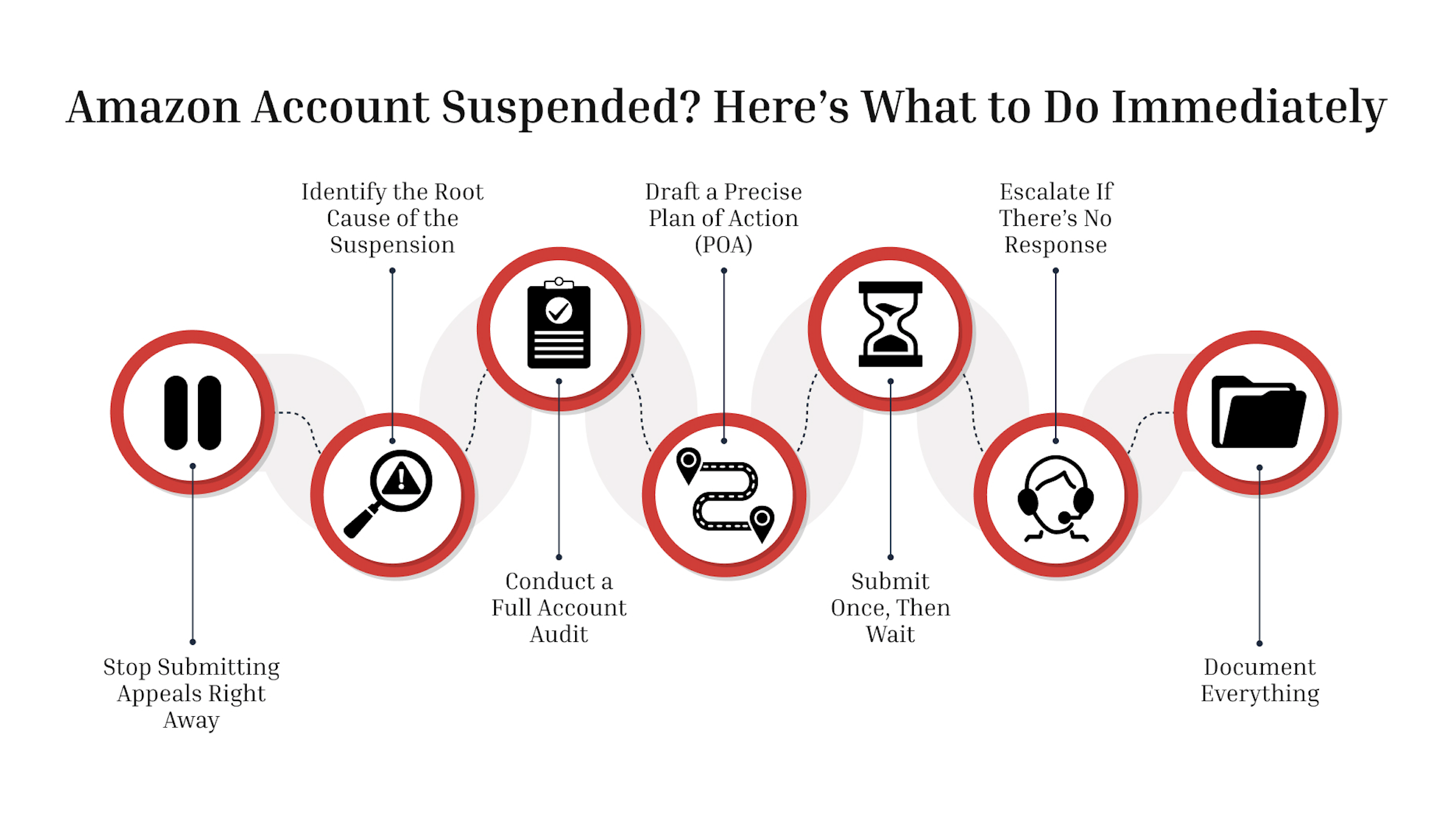
1. Stop Submitting Appeals Right Away
The biggest mistake sellers make after suspension is firing off multiple appeals in the first few hours. Amazon’s internal systems log every submission, and duplicate or emotional appeals can permanently reduce your chances of reinstatement.
When your account is deactivated, you’ll receive a notice in Seller Central outlining one or more reasons like policy violation, performance issue, IP complaint, or documentation concern. Resist the urge to reply immediately. Instead:
- Save the suspension notice and any linked case IDs.
- Take screenshots of your account health dashboard.
- Note the exact suspension type (Account, ASIN, or Category).
You’ll use these details to structure a proper response. Acting too quickly often signals to Amazon that you don’t fully understand the issue, something that reviewers interpret as a red flag.
For a free legal consultation, call 888-600-1925
2. Identify the Root Cause of the Suspension
Amazon suspensions typically fall into three categories:
- Performance-based suspensions – triggered by Order Defect Rate (ODR) above 1%, late shipment rates above 4%, or cancellation rates above 2.5%.
- Policy violations – caused by prohibited listings, pricing errors, or review manipulation.
- Intellectual property or authenticity complaints – related to counterfeit claims or unauthorized branding.
Understanding which category your issue falls under is essential before drafting your Plan of Action (POA). You can confirm it by reviewing your Account Health metrics and cross-referencing the suspension email with Amazon’s performance policies.
If the issue involves IP or authenticity, collect your supplier invoices and authorization letters immediately. Amazon frequently requests proof within 48 hours, and incomplete documentation delays reinstatement.
3. Conduct a Full Account Audit
Before responding, review your entire account, not just the issue Amazon cited. Hidden policy violations, duplicate ASINs, or incomplete documentation can derail an otherwise solid appeal.
Conduct this quick audit:
- Listings: Remove inactive or flagged SKUs.
- Invoices: Verify suppliers and match invoice dates to recent sales.
- Performance Metrics: Download your ODR, late shipment, and customer feedback reports.
- Communication History: Save all prior Seller Performance and Account Health correspondence.
This audit helps you identify potential secondary issues that Amazon may raise during the review. A complete and transparent appeal demonstrates operational control and reduces the need for follow-up questions.
Click to contact our amazon law lawyers today
4. Draft a Precise Plan of Action (POA)
Amazon reinstatement decisions often hinge on the quality of your Plan of Action. The POA must be data-driven, concise, and formatted for readability.
Use this structure:
- Root Cause:
Identify what triggered the suspension. Avoid vague statements like “We’re sorry for the inconvenience.” Be specific.
Example: “Our late shipment rate exceeded 4% in June due to a system sync failure between our warehouse software and Seller Central.”
- Corrective Actions:
Explain what you’ve already done to fix the problem.
Example: “We re-synced our inventory management system, verified all open orders, and cleared all delayed shipments within 24 hours.”
- Preventive Measures:
Show how you’ll stop it from happening again.
Example: “We’ve implemented daily shipment audits and automated delivery confirmation alerts.”
Keep your POA under one page. Attach supporting documentation like performance reports, invoices, or compliance certifications, but only if directly relevant.
Complete a Free Case Evaluation form now
5. Submit Once, Then Wait
Submit your POA through the link provided in Amazon’s suspension notice or through Seller Central → Performance → Account Health → Appeal.
Do not submit multiple versions. Each submission resets your review queue and can cause delays. If your appeal is denied, review Amazon’s feedback carefully before resubmitting your request. Many denials occur because sellers fail to address all issues cited in the first review.
You can expect a response within 48–72 hours. Complex cases may take longer.
6. Escalate If There’s No Response
If your appeal has been pending for over a week or you’ve received a “final decision” without reinstatement, you may need to escalate. Options include:
- Quantum Appeal: A higher-level review with a fully revised POA and new evidence.
- Synthetic Arbitration®: A pre-arbitration notice to Amazon’s legal department, often used to prompt faster action.
- Formal Arbitration (AAA): The last resort for major account or fund-hold disputes.
Escalations should be strategic and data-backed, not emotional. Sellers who escalate prematurely often lose leverage.
7. Document Everything
Keep a record of all communication with Amazon, including timestamps, responses, and attachments. If you later proceed to arbitration or require third-party assistance, this documentation will become critical evidence.
Don’t Let Suspension Stop Your Business
A suspension isn’t the end of your Amazon business, it’s a system check. Sellers who respond methodically and professionally often see reinstatement within days, not weeks.
If you’ve been suspended and want a fast, data-backed recovery, ESQgo can help. Our team builds precise, compliant Plans of Action and escalation strategies that restore selling privileges quickly and efficiently.
Contact ESQgo to take control of your reinstatement process today.
Call or text 888-600-1925 or complete a Free Case Evaluation form